Introduction
FamilyMart is one of Japan’s largest convenience store chains, with more than 16,000 stores located throughout the country. Whether you’re walking through the busy streets of Tokyo, exploring Kyoto’s historic neighborhoods, sightseeing in Osaka, or visiting smaller regional towns, you’ll almost certainly find a FamilyMart nearby.
While most travelers visit FamilyMart to buy drinks, snacks, bento boxes, desserts, or daily necessities, many people don’t realize that the store offers far more than convenience shopping. Hidden inside many FamilyMart locations is a powerful self-service kiosk that allows customers to complete a wide range of tasks quickly and easily.
This machine is called FamiPort, and it has become an important part of everyday life in Japan. Millions of people use it every year to collect concert tickets, pay bills, reserve transportation, print documents, receive online shopping orders, purchase event tickets, and access numerous other services without visiting a specialized office.
For international visitors, FamiPort can be especially useful. Many Japanese ticketing websites ask customers to collect tickets from a FamilyMart after completing an online reservation. Whether you’re attending a concert, baseball game, anime event, stage performance, museum exhibition, or seasonal festival, there’s a good chance that you’ll need to use FamiPort before your event.
At first glance, the touchscreen may seem confusing, especially because much of the interface is displayed in Japanese. However, the process is much easier than it appears. Once you understand the basic steps, most transactions can be completed within just a few minutes.
Another advantage is convenience. Since FamilyMart stores are located almost everywhere in Japan and many operate 24 hours a day, you can usually collect tickets or complete reservations whenever it fits your travel schedule. This flexibility makes FamiPort an excellent service for tourists who are constantly moving between cities.
Instead of standing in long lines at ticket offices or worrying about printing documents before arriving in Japan, travelers can simply visit a nearby FamilyMart and complete the process there. This system saves both time and effort, making it one of the many reasons Japan’s convenience stores are admired around the world.
Whether you’re planning to attend a concert by your favorite Japanese artist, watch a professional baseball game, visit a special exhibition, or simply want to understand how Japanese convenience stores work, learning to use FamiPort is a valuable travel skill.
By the end of this guide, you’ll understand exactly how the kiosk works, what services it offers, and how to confidently use it during your trip to Japan.
In this article, you will learn:
- What FamiPort is and how it works
- What services are available
- How to collect tickets purchased online
- How to print receipts and reservation slips
- How to complete convenience store payments
- Common mistakes to avoid
- Helpful tips for first-time users
What Is FamiPort?
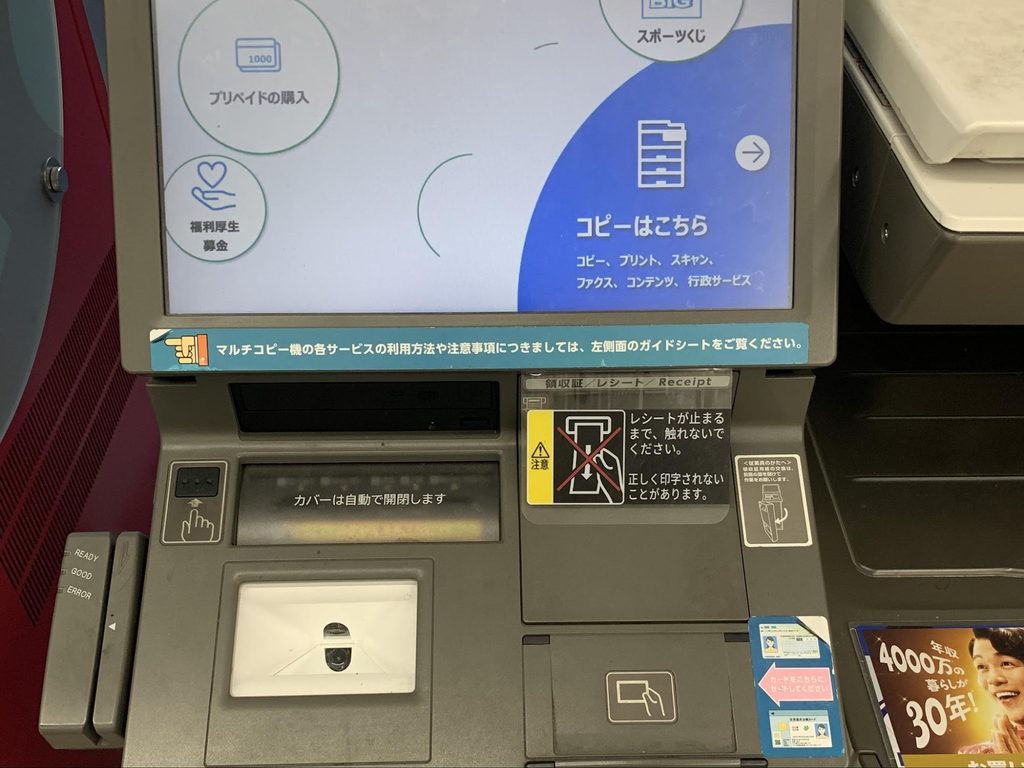
FamiPort is a multimedia self-service kiosk installed inside many FamilyMart convenience stores throughout Japan. Rather than functioning as a simple ticket machine, it serves as a gateway to dozens of different online and offline services.
The kiosk connects customers with ticketing companies, transportation providers, online shopping platforms, financial services, and various reservation systems. Instead of visiting several different locations, customers can complete many everyday tasks using a single touchscreen terminal.
Japanese residents use FamiPort on a regular basis. Students purchase concert tickets, office workers pay utility bills, families reserve buses and travel packages, and online shoppers collect products or complete payments. Because the machine supports so many services, it has become an essential part of daily life.
For tourists, however, the most useful feature is usually ticket collection. Many online reservation websites issue a reservation number or QR code instead of sending a printable ticket. Customers simply enter this information into the FamiPort machine, which prints a receipt that is exchanged at the cashier for the official ticket.
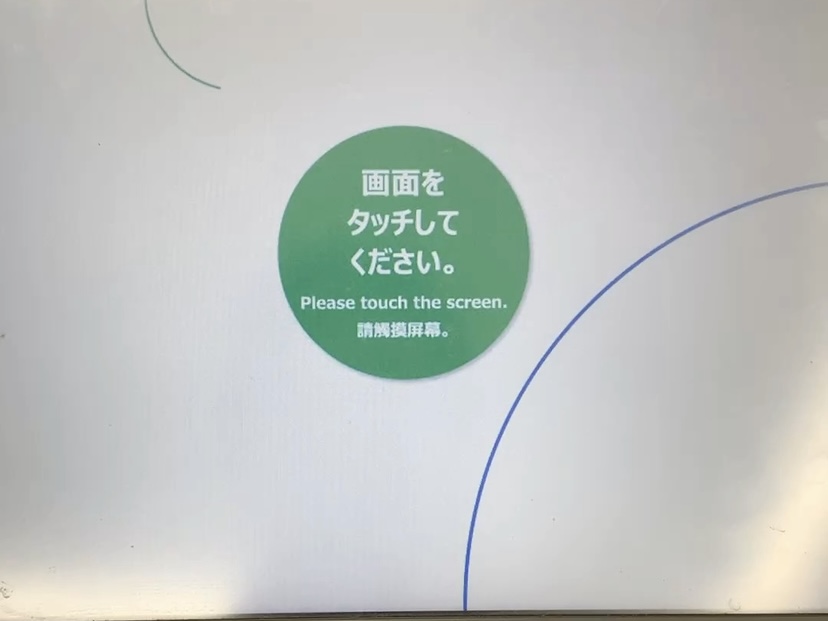
Depending on the service, FamiPort can also be used to:
- Collect concert and live event tickets
- Print sports event tickets
- Receive museum and exhibition tickets
- Complete online shopping payments
- Print reservation receipts
- Reserve buses and transportation
- Access travel-related services
- Print promotional coupons
- Collect prepaid purchases
- Complete various convenience store transactions
Because FamilyMart works with many of Japan’s largest ticketing companies, travelers attending concerts or special events will often encounter FamiPort during their stay.
Another reason FamiPort is so convenient is its speed. Once you have your reservation information ready, most transactions take less than five minutes. The machine prints the necessary receipt immediately, allowing you to complete the process at the cashier without waiting in long lines.
Even if you’ve never used a Japanese convenience store kiosk before, don’t be intimidated. Thousands of international visitors successfully use FamiPort every day. Preparing your reservation details in advance and following the on-screen instructions carefully is usually all that’s required.
Why Travelers Should Learn How to Use FamiPort
Many travelers focus on trains, hotels, and sightseeing attractions when planning their trip to Japan, but learning how to use convenience store services like FamiPort can make the journey much smoother.
Imagine you’ve finally won tickets to a popular concert, reserved seats for a baseball game, or booked admission to a limited-time anime exhibition. Instead of receiving printable tickets by email, you’re instructed to collect them at a FamilyMart. If you already understand how FamiPort works, the process will feel quick and stress-free.
FamiPort is also helpful because it allows travelers to complete many tasks outside normal business hours. Since many FamilyMart stores are open 24 hours a day, you don’t have to worry about arriving before a ticket office closes. Whether it’s early in the morning or late at night, you can often visit a nearby store whenever it’s convenient.
Japan is famous for making everyday life efficient, and FamiPort is a perfect example of that philosophy. Instead of requiring customers to visit several different service counters, one small machine provides access to dozens of useful services in a single location.
For many visitors, using FamiPort becomes one of those uniquely Japanese experiences that highlights just how advanced and convenient the country’s convenience stores really are.
How to Collect Tickets Using FamiPort
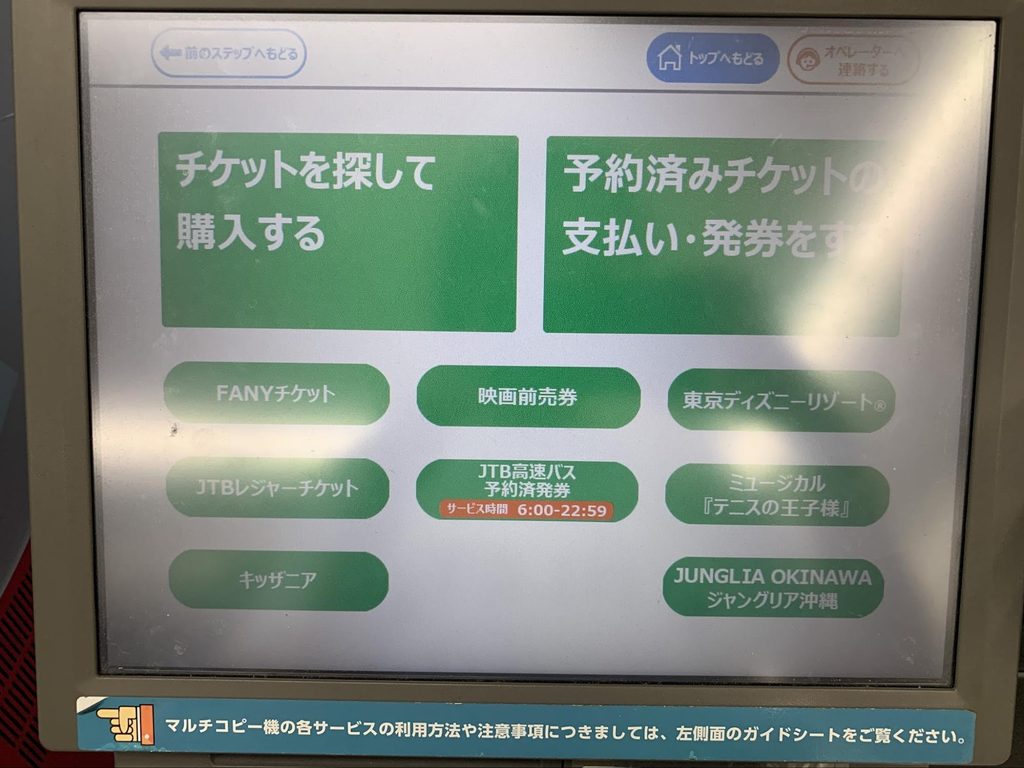
One of the most common reasons travelers use FamiPort is to collect tickets that were purchased online. Many Japanese ticketing services, including those for concerts, live performances, theater shows, sporting events, museums, exhibitions, and seasonal attractions, require customers to pick up their tickets at a FamilyMart before the event.
Instead of receiving a printable ticket by email, you’ll usually receive a reservation confirmation containing a reservation number, inquiry number, QR code, barcode, or collection code. This information is all you need to retrieve your ticket at the FamiPort kiosk.
Before heading to the store, it’s a good idea to prepare everything in advance. Open your confirmation email on your smartphone, save a screenshot of the QR code, or write down your reservation number. Having these details ready will make the entire process much faster and reduce the chance of entering the wrong information.
Once you arrive at FamilyMart, locate the FamiPort terminal. It is usually placed near the entrance, next to the copy machines, or close to the ATM area.
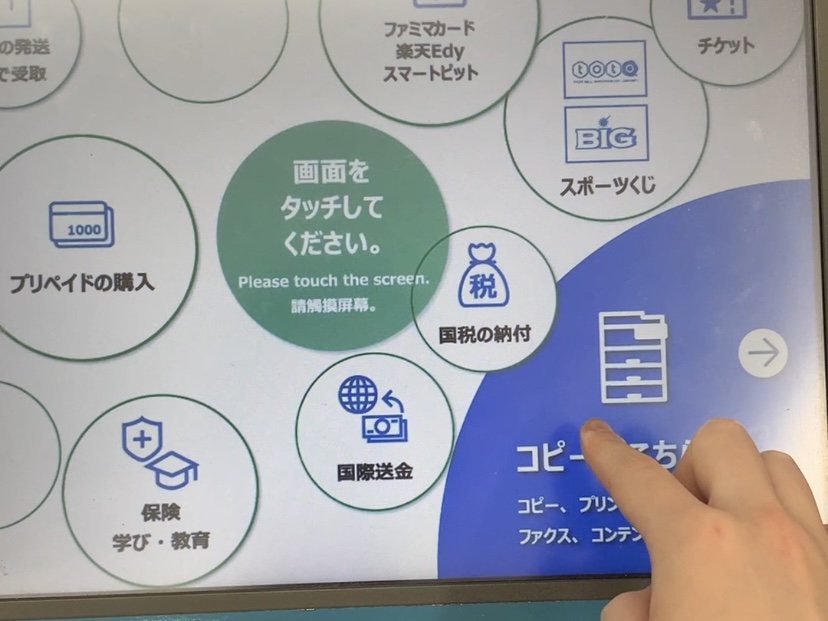
After touching the screen, select the service that matches your reservation. Depending on the ticketing company, you may need to scan a QR code, enter a reservation number, or input both an inquiry number and a phone number.
The kiosk will display your reservation details, including the event name, performance date, number of tickets, and sometimes the total amount due. Carefully review all the information before confirming the reservation.
Once everything is correct, the machine prints a receipt.
It is important to remember that this receipt is not your actual ticket.
Instead, take the printed receipt directly to the cashier, where a staff member will either exchange it for your official ticket or complete the transaction if payment is still required.
The receipt usually has a time limit, often around 30 minutes, so avoid walking around the store before visiting the register.
For most customers, the entire ticket collection process takes less than five minutes.
Step-by-Step Guide
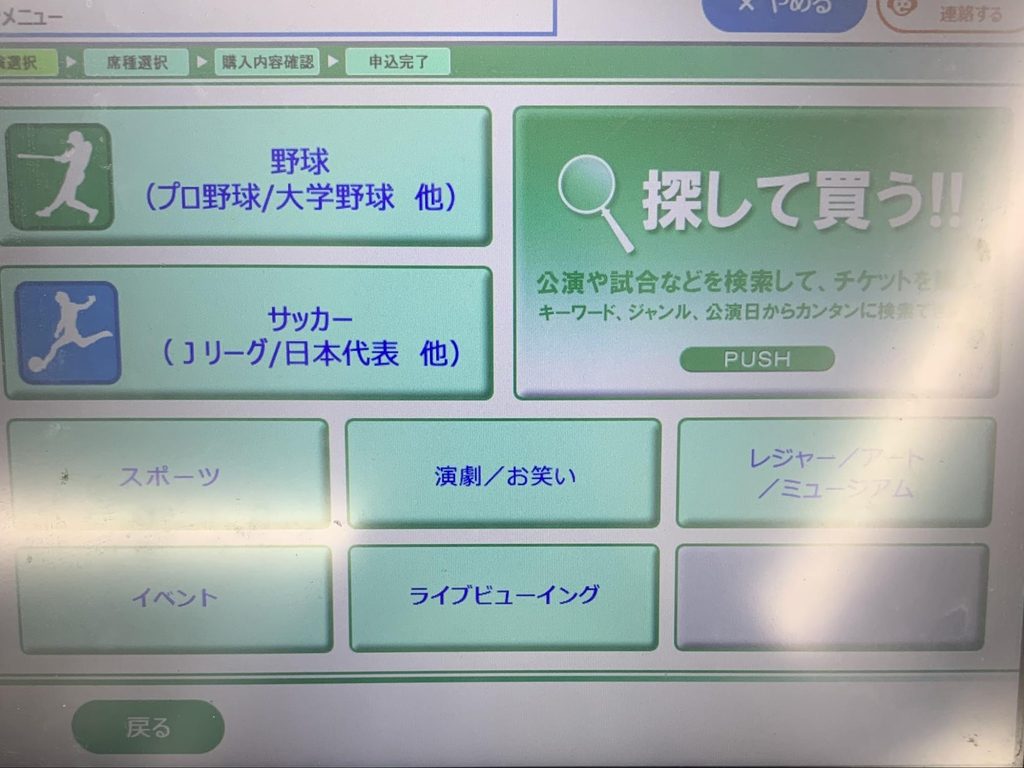
Although every ticketing company uses slightly different procedures, the overall process is very similar.
Step 1: Find a FamilyMart Store
Locate a nearby FamilyMart using Google Maps or another navigation app. Since there are thousands of FamilyMart stores across Japan, finding one is usually very easy.
Step 2: Prepare Your Reservation Information
Before using the kiosk, make sure you have:
- Reservation number
- Inquiry number (if required)
- QR code or barcode
- Confirmation email
- Smartphone with sufficient battery
Preparing everything beforehand helps avoid delays while using the machine.
Step 3: Select the Correct Service
Touch the appropriate menu on the FamiPort screen.
Different ticketing companies use different collection methods, so always follow the instructions included in your confirmation email.
If you’re unsure which option to choose, don’t worry. The reservation email usually explains exactly which button to press.
Step 4: Enter Your Reservation Details
Scan the QR code or manually enter the required reservation numbers.
Take your time when typing. A single incorrect digit may prevent the machine from finding your reservation.
After entering the information, confirm that the displayed event details match your booking.
Step 5: Print the Receipt
After confirming your reservation, FamiPort immediately prints a receipt.
Check that all information is correct before leaving the machine.
The receipt will include important information such as:
- Event name
- Performance date
- Venue
- Number of tickets
- Payment amount (if applicable)
- Collection deadline
Step 6: Visit the Cashier
Take the printed receipt directly to the checkout counter.
The cashier will scan the receipt, process your payment if necessary, and hand you your official ticket or confirmation document.
Some services require payment during pickup, while others have already been paid online.
Step 7: Double-Check Everything
Before leaving the store, carefully examine your ticket.
Confirm:
- Event name
- Date
- Starting time
- Venue
- Seat number (if assigned)
- Number of tickets
If anything appears incorrect, it’s much easier to ask the staff for assistance while you’re still inside the store.
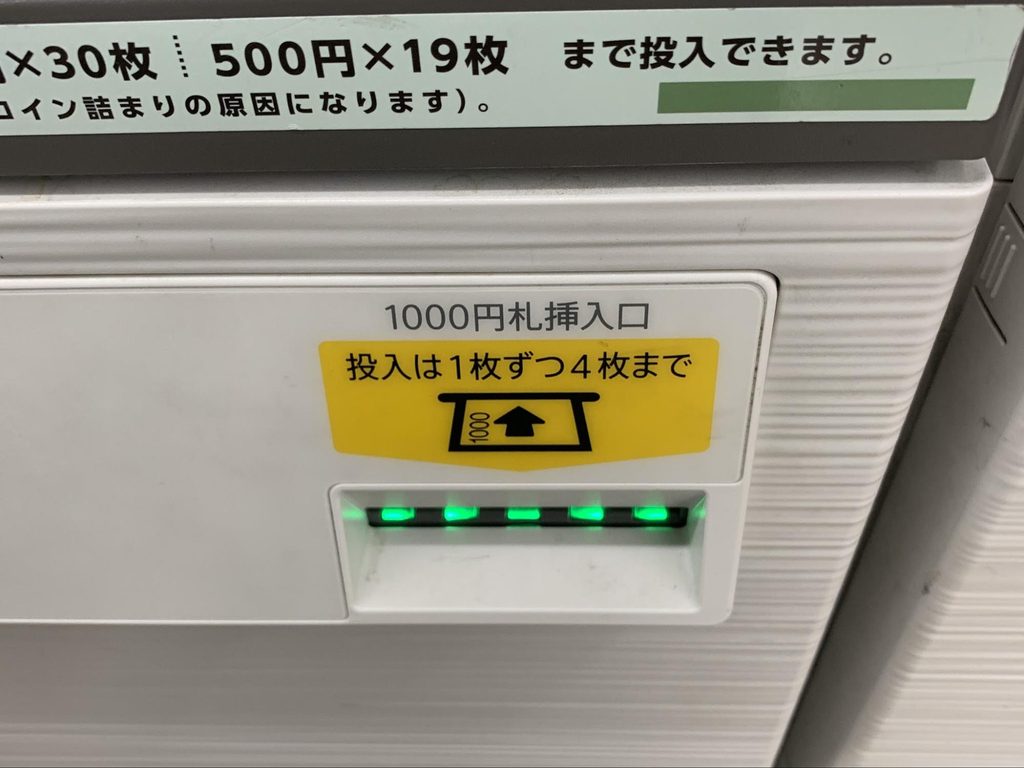
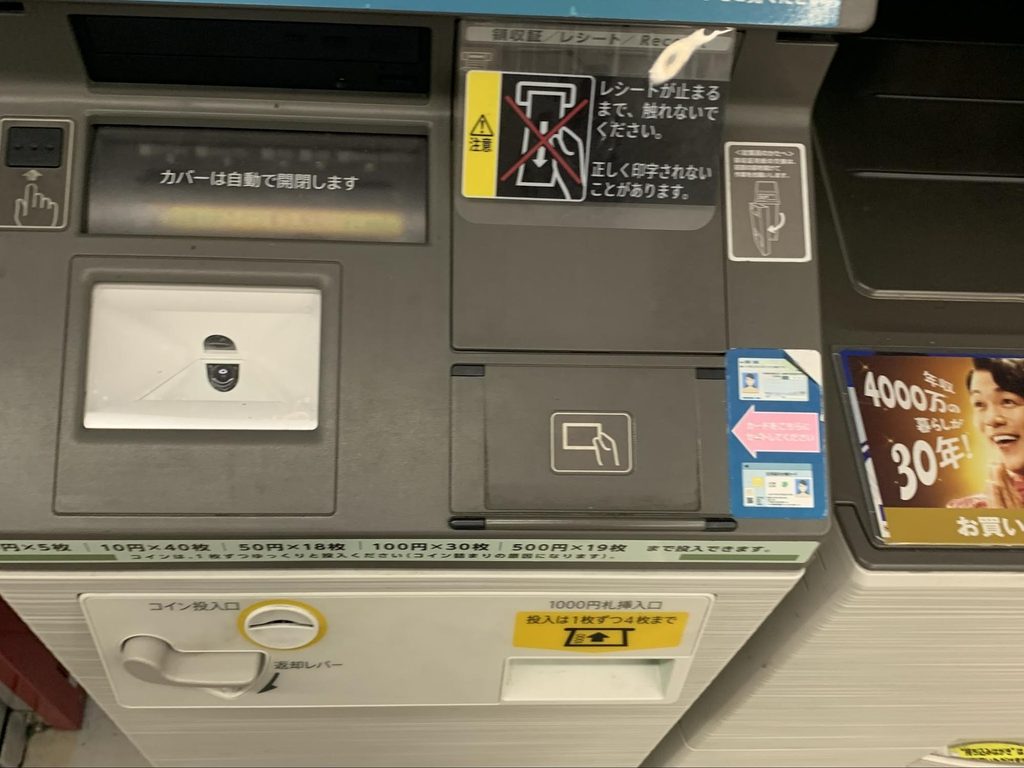
Paying for Online Reservations
FamiPort is also widely used for convenience store payments.
Many Japanese websites allow customers to reserve products online and complete payment later at a convenience store. Instead of entering credit card information, customers receive a payment number that can be entered into FamiPort.
After the information is entered, the machine prints a payment slip, which is then taken to the cashier along with cash or another accepted payment method.
This payment system is commonly used for:
- Concert tickets
- Event reservations
- Online shopping
- Travel services
- Exhibition tickets
- Special promotions
- Various online purchases
Because convenience stores are open almost all day and located throughout Japan, this payment method is extremely popular with local residents.
For international travelers, it can also be useful if a reservation website does not accept overseas credit cards or if a particular service requires payment inside Japan.
Learning how this payment system works before arriving in Japan can save valuable time, especially if you’re planning to attend multiple concerts or events during your trip.
Other Useful Features of FamiPort
Although many international visitors use FamiPort primarily for collecting event tickets, the kiosk offers many additional services that make everyday life in Japan more convenient. In fact, many Japanese residents use the machine regularly for tasks that go far beyond ticket reservations.
One useful feature is the ability to complete payments for online shopping orders. Many Japanese websites allow customers to reserve products first and pay later at a FamilyMart. Instead of entering credit card information online, customers simply receive a payment number, print a payment slip at FamiPort, and pay at the cashier.
This system is widely used for online shopping, event registrations, limited-edition merchandise, anime goods, books, electronics, and seasonal products.
FamiPort can also be used for transportation-related services. Depending on the provider, customers may reserve highway buses, travel packages, or other transportation services through the machine. This makes FamilyMart much more than just a convenience store—it also serves as a travel support center.
Another popular function is coupon printing. Various promotions available through Japanese websites or smartphone apps can be redeemed using FamiPort, allowing customers to receive discounts on products or services.
Some online purchases can also be delivered directly to a FamilyMart for pickup. This service is especially convenient for people who are traveling or do not want packages delivered to their home.
Because the available services continue to expand, FamiPort has become an important part of Japan’s highly efficient convenience store network.
Common Mistakes to Avoid
Although FamiPort is designed to be simple, first-time users occasionally make mistakes that can delay the ticket collection process. Fortunately, these problems are usually easy to avoid.
One of the most common mistakes is arriving at FamilyMart without the necessary reservation information. Before leaving your hotel, make sure you have your reservation email, QR code, inquiry number, reservation number, or barcode ready on your smartphone.
Another common mistake is selecting the wrong menu option on the touchscreen. Since FamiPort offers many different services, choosing the incorrect category may prevent the machine from finding your reservation. Carefully read the instructions included in your confirmation email before using the kiosk.
Some visitors also misunderstand the receipt printed by FamiPort. Remember that the printed receipt is usually not your final ticket. Instead, it must be taken to the cashier, who will issue your official ticket or complete the payment process.
Many receipts are only valid for a limited time after printing, so don’t leave the store before visiting the register.
Typing errors are another common problem. If you’re entering reservation numbers manually, double-check every digit before pressing the confirmation button. Even one incorrect number can prevent the machine from locating your booking.
It’s also important to collect your tickets before the collection deadline. Some reservations automatically expire if they are not collected within the specified period.
If an error message appears, don’t panic. Most problems can be solved by checking your reservation details carefully or asking a FamilyMart employee for assistance. Staff members regularly help customers use FamiPort and are usually familiar with common issues.
Helpful Tips for First-Time Users
Using FamiPort becomes much easier once you know a few practical tips.
Before visiting the store, charge your smartphone so your reservation email or QR code can be displayed without interruption.
If possible, save screenshots of important reservation information. Mobile internet connections may occasionally be slow, and screenshots allow you to access your information immediately.
Visit FamilyMart during quieter hours if you prefer taking your time with the machine. Early mornings and mid-afternoons are often less crowded than evenings.
After receiving your official ticket from the cashier, check every detail before leaving the store. Confirm the event name, venue, date, starting time, number of tickets, and seat assignment if applicable.
If you’re traveling with friends or family, organize everyone’s reservation numbers beforehand to make the collection process faster.
Don’t hesitate to ask for assistance. Even if staff members don’t speak fluent English, showing your reservation email usually helps them understand what you need.
Many travelers are surprised by how friendly and helpful convenience store employees are, especially in major tourist destinations.
Summary
FamiPort is one of the many reasons Japan’s convenience stores are admired around the world. Rather than serving only as a place to buy snacks and drinks, FamilyMart provides customers with access to an impressive range of everyday services through a single easy-to-use kiosk. From ticket collection and convenience store payments to transportation reservations, coupon printing, and online shopping support, FamiPort has become an indispensable part of daily life in Japan.
For international travelers, learning how to use FamiPort can make a trip much smoother. Many concerts, sporting events, exhibitions, museums, seasonal attractions, and live performances require tickets to be collected at a FamilyMart before the event. Understanding the process in advance allows you to complete the transaction confidently without unnecessary stress.
Although the touchscreen may initially appear complicated, the actual procedure is surprisingly simple. By preparing your reservation number or QR code, carefully following the instructions on the screen, printing the receipt, and taking it directly to the cashier, most transactions can be completed within just a few minutes.
Another major advantage is convenience. FamilyMart stores are located throughout Japan, from major cities such as Tokyo, Osaka, Kyoto, and Fukuoka to smaller towns and rural communities. Because many stores are open 24 hours a day, travelers can often collect tickets or complete payments whenever it fits their schedule, even late at night or early in the morning.
FamiPort also demonstrates how seamlessly technology is integrated into everyday life in Japan. Instead of visiting multiple offices or ticket counters, customers can complete a wide variety of tasks at one convenient location. This efficient system saves time and makes traveling around Japan much easier.
If you’re planning to attend concerts, anime events, baseball games, theater performances, exhibitions, or festivals during your visit, becoming familiar with FamiPort before arriving will help you feel much more confident. Even if you’re simply curious about Japanese convenience stores, trying the kiosk is an interesting cultural experience that shows why Japan is famous for its exceptional customer service and convenience.
Once you’ve used FamiPort for the first time, you’ll likely discover that it’s much easier than expected. With a little preparation and the information provided in this guide, you’ll be ready to collect tickets, complete payments, and make the most of one of Japan’s most useful convenience store services. Whether you’re visiting Japan for a few days or an extended holiday, knowing how to use FamiPort is a practical travel skill that can save time, reduce stress, and help you enjoy your trip even more.